
Download CashFlow Convert – currency converter, financial tool, exchange rate tracker, money management, travel finance, business currency, real-time exchange rates, personal finance app, currency list, financial tracking
Overview
CashFlow Convert is a mobile application designed to streamline currency conversion for users managing personal or professional finances. Developed by Doly Begum, the app operates within the Business & Productivity category, specifically under Finance, and is tailored for individuals and professionals who frequently deal with international transactions. It enables users to access up-to-date exchange rates from global markets, facilitating accurate and timely conversions. The app supports personalized currency lists, allowing users to prioritize the currencies they interact with most, which enhances usability for travelers, freelancers, and small business owners managing cross-border payments.
Real-world use cases include planning international trips with budgeting based on current exchange rates, monitoring currency fluctuations for investment decisions, and simplifying daily financial tracking for businesses with multi-currency operations. The app aims to reduce the complexity of managing multiple currencies by offering a centralized, intuitive platform. While specific developer background details beyond the name are not provided, the app’s focus on accuracy and real-time data suggests a targeted approach to financial transparency. No additional system requirements or technical specifications were listed.
Key Features & Capabilities
- Real-Time Exchange Rates: The app provides current exchange rates from global financial markets, ensuring conversions reflect the most up-to-date values.
- Personalized Currency Lists: Users can create custom lists of preferred currencies, reducing clutter and improving quick access to relevant data.
- Transaction Tracking: Built-in tools allow users to log and monitor financial transactions across different currencies, aiding in budgeting and financial analysis.
- Custom Alerts: Users can set personalized notifications to be informed when specific currencies reach target values, helping anticipate market movements.
- Multi-Currency Management: The interface supports simultaneous handling of multiple currencies, making it suitable for users with international financial activity.
These features support practical scenarios such as tracking expenses during travel, comparing investment returns across currencies, or preparing financial reports for international clients. By centralizing conversion tools and financial tracking, CashFlow Convert reduces the need for multiple apps or manual calculations. The app’s design emphasizes usability and efficiency, enabling users to make informed decisions without technical overhead. No performance benchmarks or detailed usage metrics were provided.
User Interface, Workflow & Performance
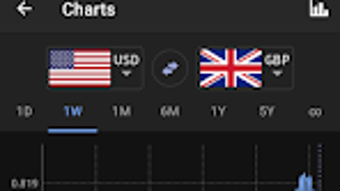
CashFlow Convert features a clean, intuitive interface optimized for mobile use, with navigation structured around core functions like conversion, tracking, and alerts. The layout prioritizes accessibility, placing frequently used tools within a few taps. Users can switch between currencies, view rates, and log transactions with minimal steps, promoting workflow efficiency. The app’s responsiveness appears consistent with standard Android application behavior, though specific performance data was not disclosed.
Navigation is straightforward, with tab-based access to key sections. The design supports both portrait and landscape orientations, enhancing usability across different device setups. While no details were provided about CPU or RAM usage, the app’s 12.5 MB size suggests a lightweight footprint, likely minimizing impact on device performance. Stability is assumed to align with typical Android app standards, though no crash reports or reliability statistics were included. The developer did not specify resource usage details.
Compatibility & System Requirements
CashFlow Convert is designed for Android operating systems. The app’s version is listed as 1.0.1, and it requires 12.5 MB of storage space for installation. Compatibility information is limited to the Android platform, with no mention of specific OS versions, device types, or hardware requirements. The developer did not provide additional system requirements.
Given its mobile nature, the app is expected to function on standard Android smartphones and tablets. However, exact compatibility details such as minimum Android version or supported screen resolutions were not specified. Users should ensure their device meets general Android app installation criteria. The absence of detailed technical specifications prevents definitive assessment of hardware suitability, but the app’s size indicates low resource demands.
Pros and Cons
Pros
- Real-time exchange rate updates for accurate conversions
- Customizable currency lists for personalized financial tracking
- Intuitive interface suitable for both beginners and experienced users
- Free to download and use with no upfront cost
- Supports multi-currency management and transaction logging
Cons
- No information provided on minimum Android OS version
- Limited visibility into performance and resource usage
- App functionality may vary across different Android devices
- Only available on Android, limiting cross-platform access
- Exact data sources and refresh frequency not disclosed
FAQ Section
Is CashFlow Convert available for iOS devices?
The app is currently only available on the Android platform. No information about iOS compatibility was provided by the developer.
Does CashFlow Convert require an internet connection?
Yes, real-time exchange rates and alerts depend on an active internet connection. Offline functionality is not confirmed.
Can I use CashFlow Convert without creating an account?
The app does not require registration or login, allowing users to access core features immediately upon installation.
How often are exchange rates updated?
Exchange rates are updated in real time, but the exact refresh frequency was not specified in the available documentation.
Is the app secure and safe to use?
CashFlow Convert does not collect or store personal financial data, according to available information. However, no formal security certification or privacy policy details were provided.
Final Thoughts
CashFlow Convert presents a focused, accessible solution for users needing reliable currency conversion and financial tracking. Its emphasis on real-time data, customizable currency lists, and transaction monitoring makes it a practical tool for travelers, freelancers, and small business operators managing international finances. The app’s lightweight design and free pricing model enhance its appeal, especially for users seeking a no-frills financial utility. While some details like OS compatibility and performance metrics are missing, the core functionality remains clear and well-aligned with its intended purpose. For those who rely on accurate, up-to-date exchange rates and simple financial oversight, CashFlow Convert delivers a solid experience.
Download CashFlow Convert now and take control of your financial workflow with confidence.







